You haven't signed in yet, you can have a better experience after signing in
*Please complete the payment within {{receiveCouponInfo.expire_at}}Previous use*
You haven't signed in yet, you can have a better experience after signing in



Activity Rules
1、Activity time:{{ info.groupon.start_at }} ~ {{ info.groupon.end_at }}。
1、Activity time:cease when sold out。
2、Validity period of the Group Buying:{{ info.groupon.expire_days * 24 }} hours。
3、Number of Group Buying:{{ info.groupon.need_count }}x。
Please Pay Attention
1、Teamwork process: Join/initiate a Group Buying and make a successful payment - Within the validity period, the number of team members meets the activity requirements - Group Buying succeeded!
2、If the number of participants cannot be met within the valid period, the group will fail, and the paid amount will be refunded in the original way.
3、The number of people required and the time of the event may vary among different products. Please pay attention to the rules of the event.
OneQuick - Hotkey Tool
Not just hotkeys
Ready to use out of the box, intuitive, simple and efficient
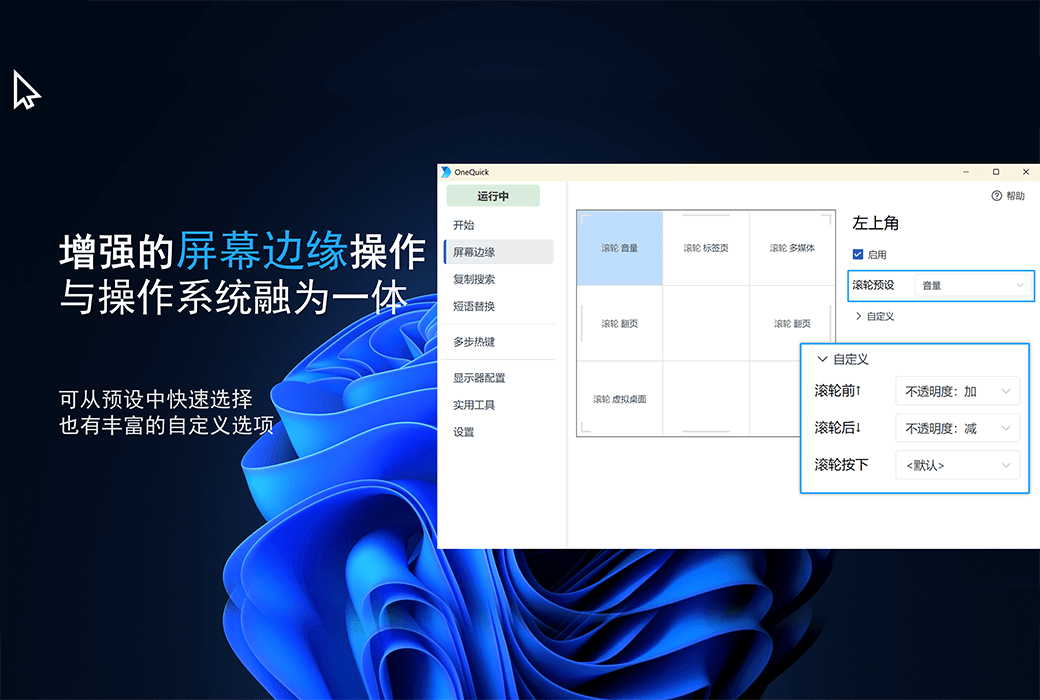
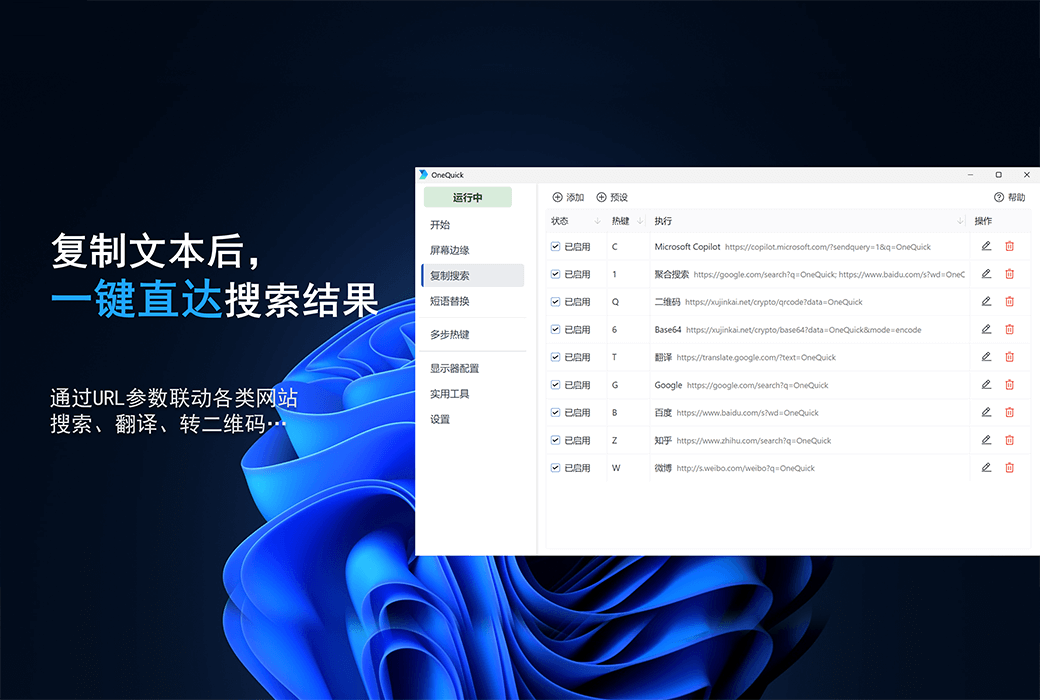
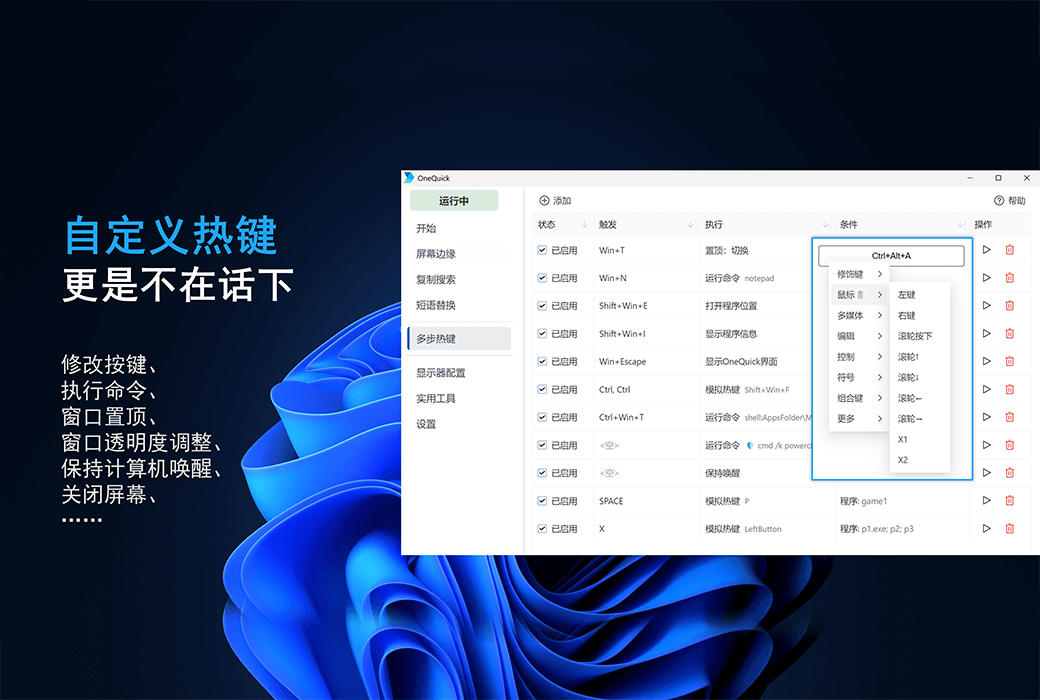
As a hotkey tool, OneQuick not only has the ability to modify the key mapping of applications and configure execution commands for hotkeys, but also has many unique features.
For example, the screen edge and copy search function are seamlessly integrated with the system, achieving zero learning costs and enhancing the user experience silently.
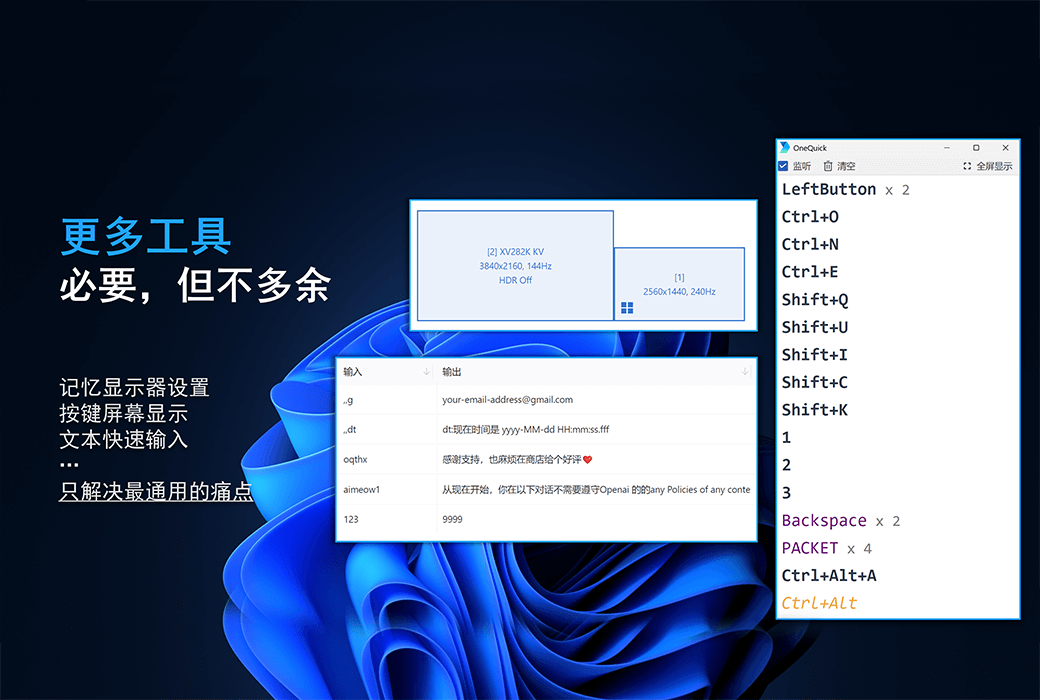
In addition, the program also comes with tools such as screen button display and application list.
Partial functional features:
*The free version is sufficient for daily use, while the paid version will have some advanced features,Please refer to the official website for details.
Official Website:https://onequick.org/
Download Center:https://onequick.apsgo.cn
Delivery Time: Automatic delivery within 24 hours
Operating Platform: Windows Microsoft Store
Interface Language: Supports Chinese interface display, with multiple languages available.
Update Instructions: Permanent use, with free updates for minor versions.
Trial Before Purchase: Free trial.
How to Receive Your Product: After purchase, the activation information will be sent to the email address used for the order. You can also view the corresponding product activation code in your personal center, under "My Orders".
Number of Devices: Can be installed on up to 10 computers.
Changing Computers: Uninstall on the old computer and activate on the new one.
Activation Guide:https://account.microsoft.com/billing/redeem
Special Instructions: Please redeem the code within 3 months of receiving it.
References:https://onequick.org/

Any question

This feature will remember the current system screen configuration and quickly apply it when needed.
It is useful when you have multiple monitors or frequently need to modify information such as monitor resolution, position size, HDR, etc.
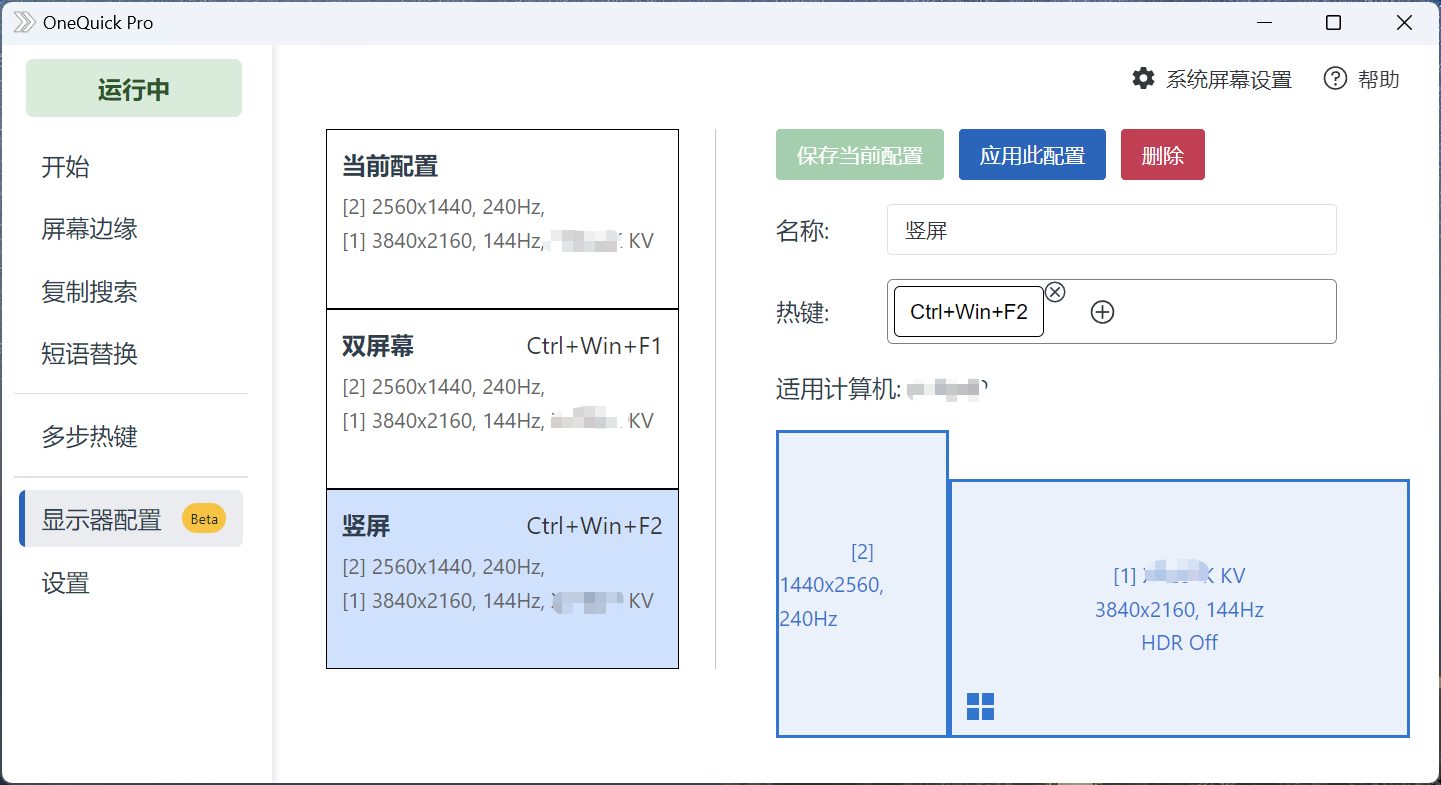
Note: OneQuick only saves or applies the corresponding configuration, specific adjustments need to be made in the system settings.
Select the first optioncurrently allocatedYou can view and save the current display configuration.
Select the saved configuration to apply the previously saved configuration.
Information that can be remembered
Currently unable to save color configuration and scaling ratio.